Evidence you can cite
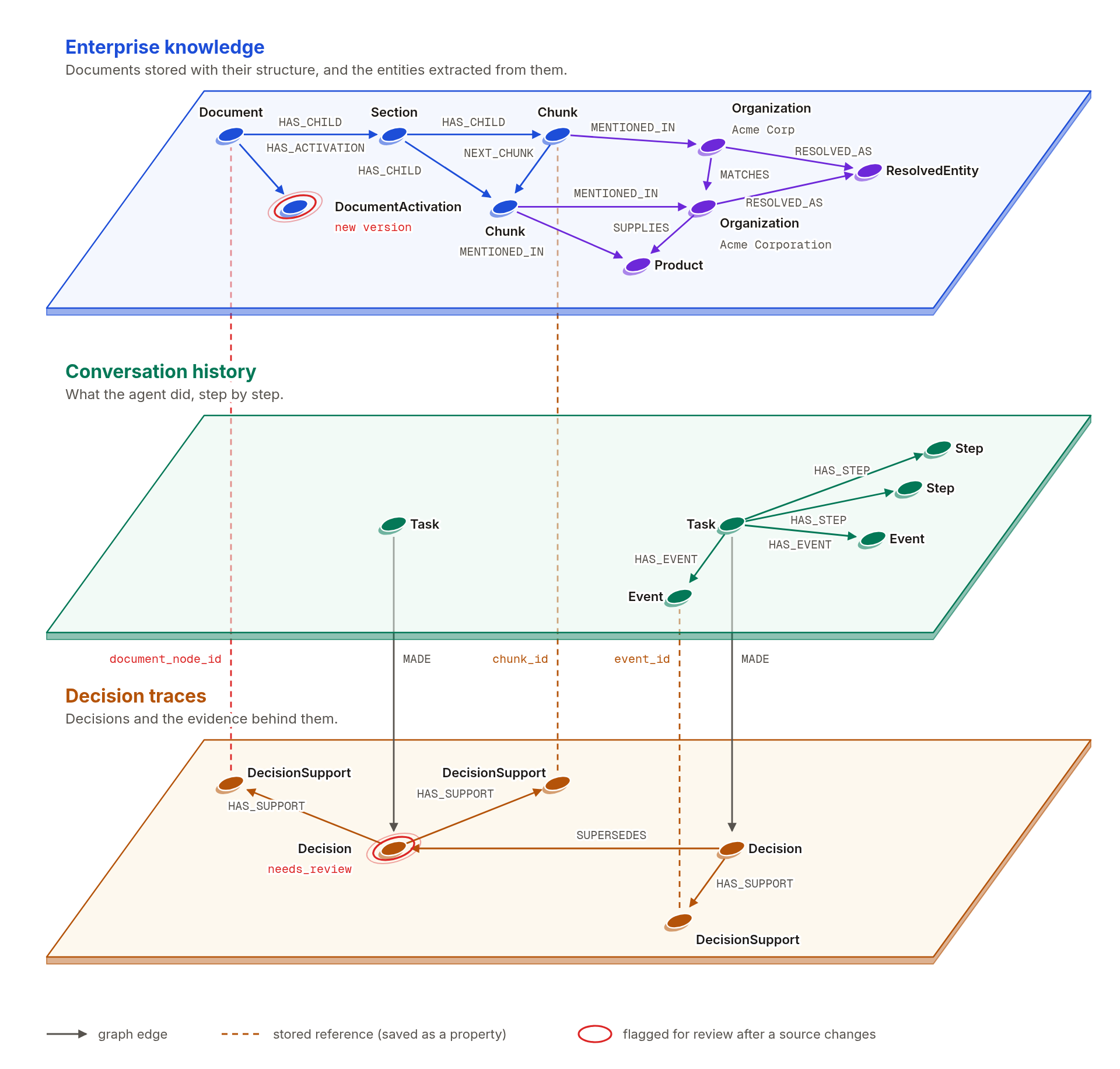
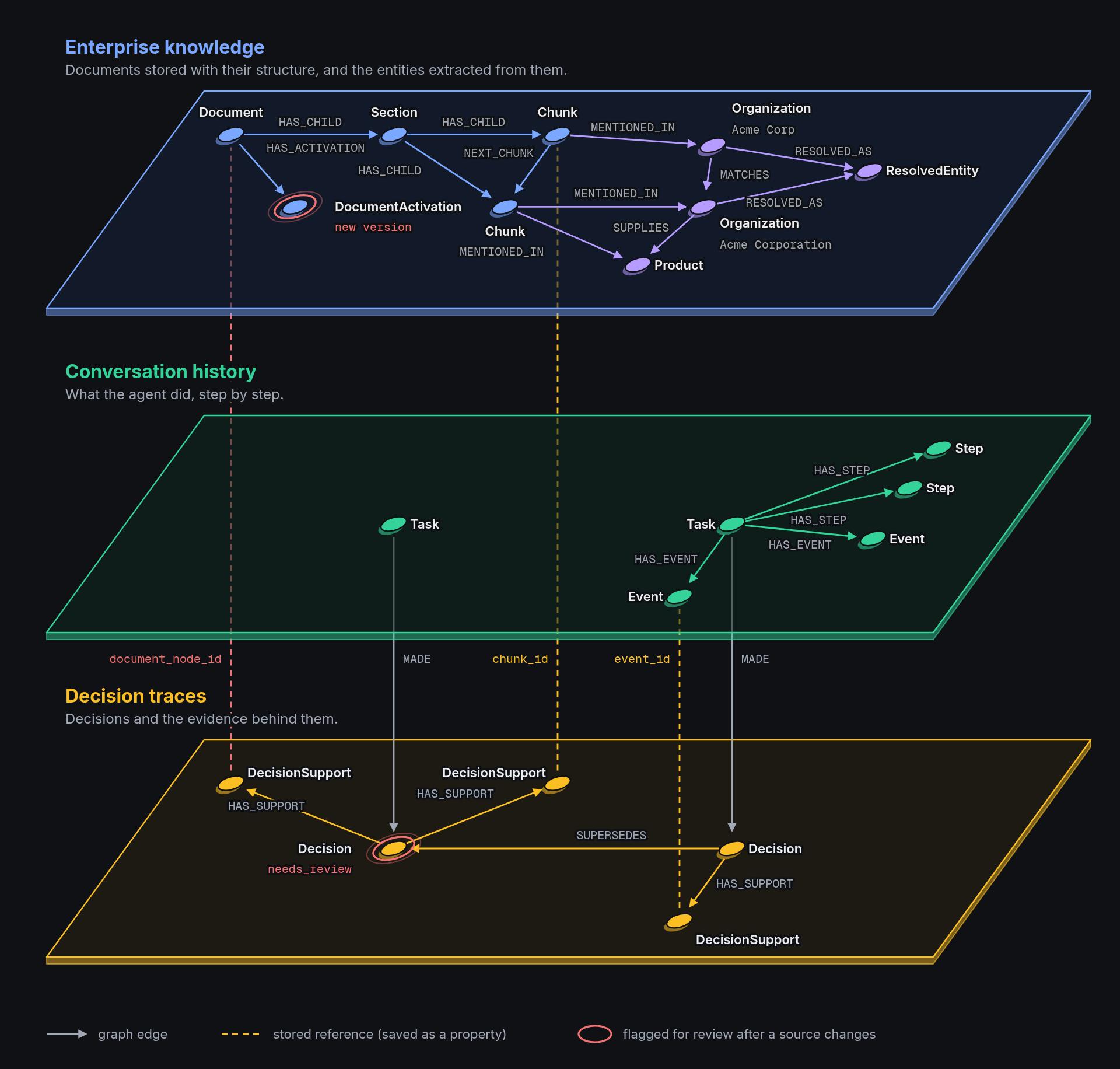
Documents become a graph shaped by your schema. Agents search it, read the exact passage behind each result, and cite it. A citation check flags any source the agent never read. Each passage keeps its source and location, a relation links to the passages that support it, and a citation to an older version of a document still leads to the text that was cited.
Work that resumes
A task stores its goal, an ordered log of messages, tool calls, and tool results, and its named steps in the graph. A later run, even in another process, continues from the stored steps and reruns only the unfinished ones.
Decisions tied to their sources
A decision stores its conclusion, rationale, and assumptions with links to the passages, task events, and earlier decisions it relies on. When a cited document gets a new version, the decision is flagged for review, and the built-in agent leaves it out of its search for earlier decisions until a reviewer reaffirms, replaces, or rejects it.
Fits your stack
Use it from Python, run the built-in agent, or connect your own agent through MCP. It runs on Neo4j or FalkorDB, and vectors can live in the graph or in Qdrant, Milvus, or Weaviate.
How it works
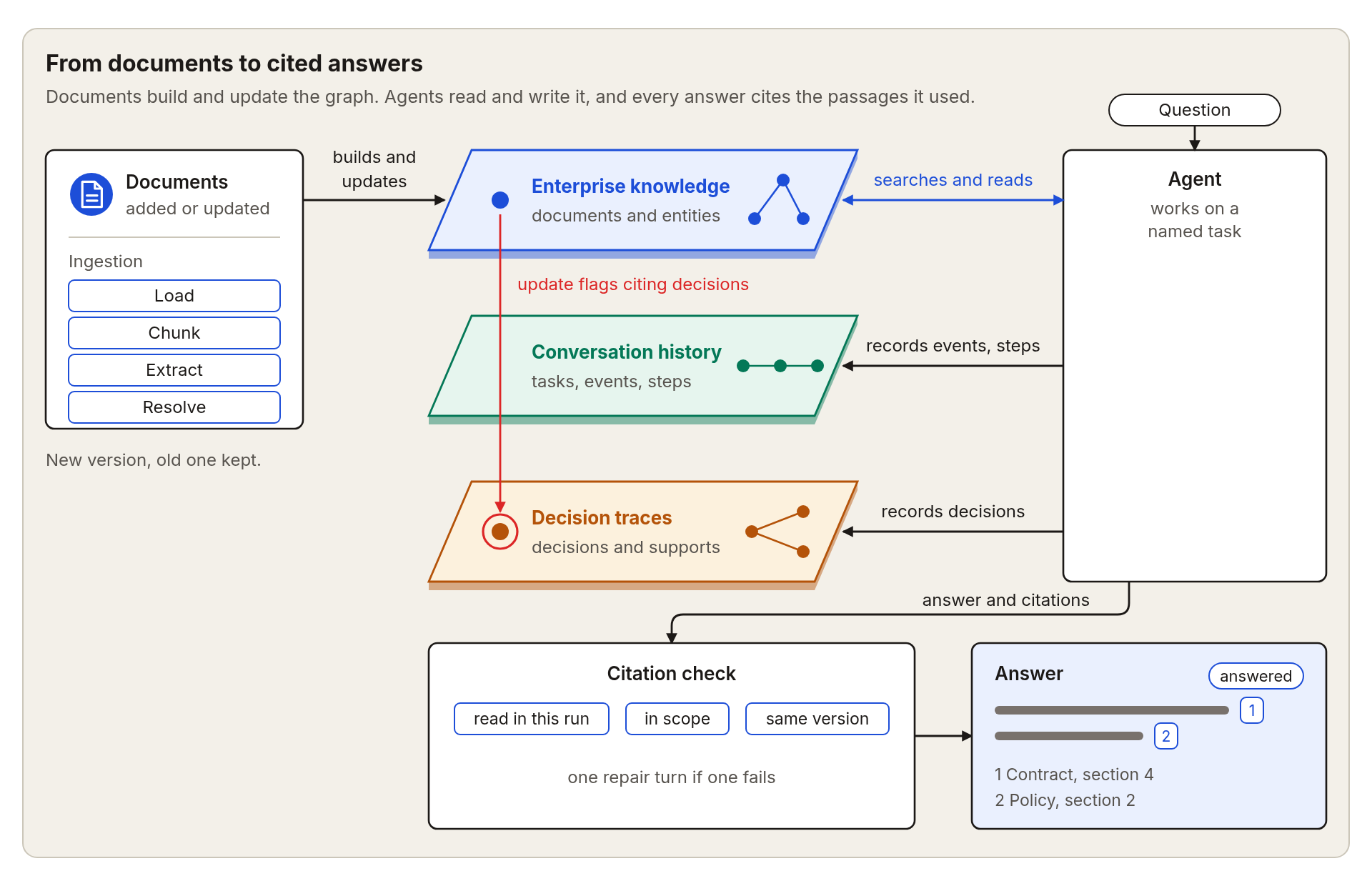
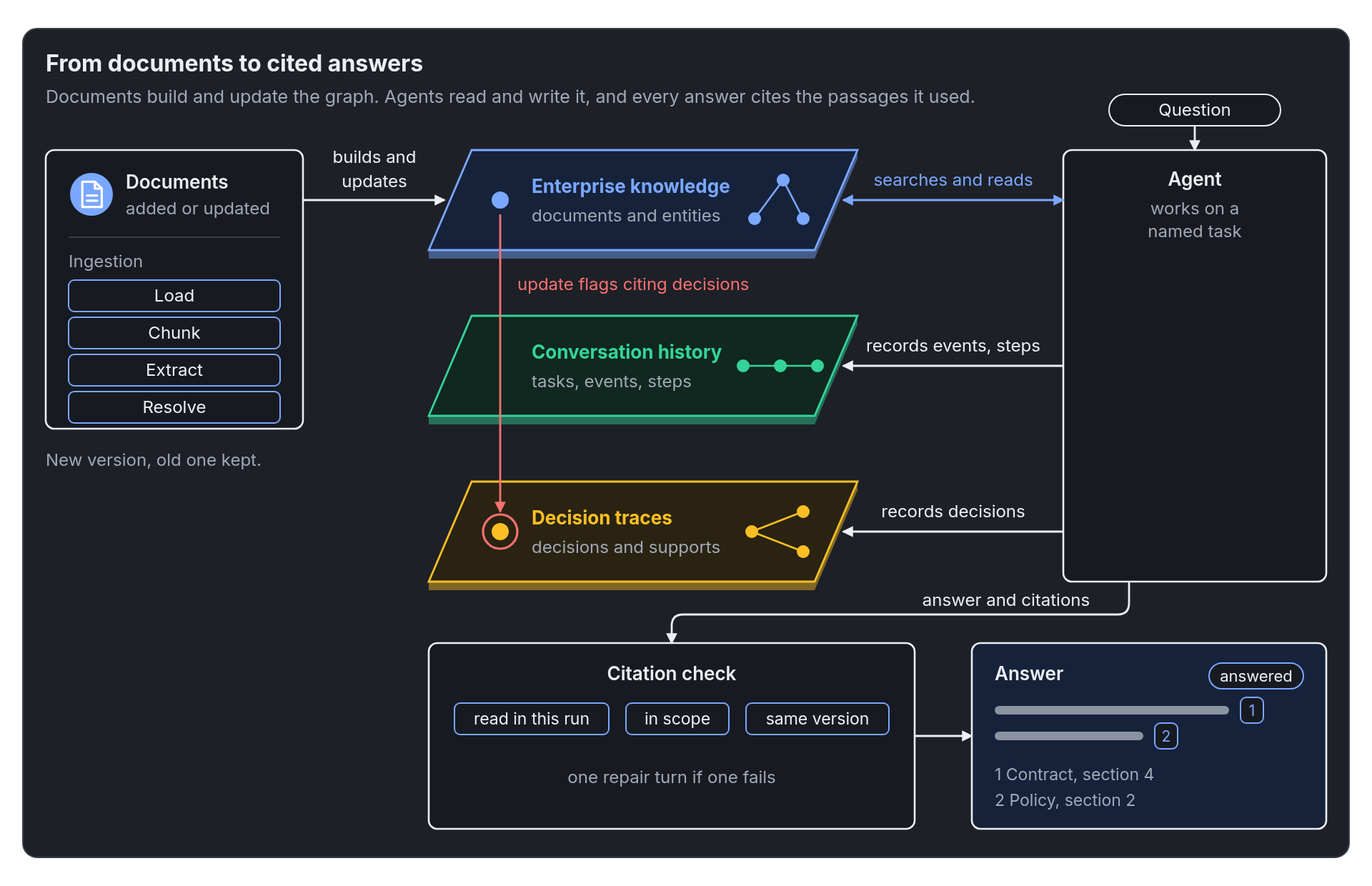
Ingestion loads, chunks, extracts, and resolves your documents into the graph. Agents and MCP clients search and read it, record their work, and return answers with checked sources.
Three ways to use it
Use it from Python, run the built-in agent, or connect your own agent through MCP.
- Python library
- Built-in agent
- MCP client
Read a document into the graph on your machine, with a schema you choose.
graph = await Graph.open(
    schema="operations",
    graph_store=store,
    embedder=embedder,
    extraction_settings=ExtractionSettings(mode="gliner"),
    max_llm_pairs=0,
)
await graph.add(DOCUMENT)
A task-scoped agent searches your documents, records its work, and answers with numbered sources.
agent = build_agent(
    graph_store=store,
    embedder=embedder,
    scope=frozenset({str(DOCUMENT)}),
    project_id="my-project",
    agent_id="researcher",
    llm_settings=AgentLLMSettings.from_openai_compatible_env(),
)

result = await agent.ainvoke({
    "task_name": "first-question",
    "question": "What are the main points of this document? Cite your sources.",
})
print(result["answer"])
Give an MCP client tools for search, citation, conversation history, and decision traces.
{
  "mcpServers": {
    "agrag": {
      "command": "agrag-mcp",
      "env": {
        "NEO4J_URI": "bolt://localhost:7687",
        "NEO4J_USERNAME": "neo4j",
        "NEO4J_PASSWORD": "your-neo4j-password",
        "MCP_SCOPE_DOCUMENT_KEYS": "/full/path/to/your-document.md",
        "MCP_PROJECT_ID": "my-project",
        "MCP_AGENT_ID": "researcher"
      }
    }
  }
}
Where to go next
- Build the graphAdd documents, choose a schema, and extract and resolve entities.
- Search and citeSearch passages, read the exact text, and check the citations in an answer.
- History and decisionsRecord tasks, events, steps, and decisions, and review decisions when a source changes.
- Choose storageCompare Neo4j and FalkorDB, and decide where the vectors live.
Install it and run the quickstart
uv pip install agentic-graphrag --torch-backend=auto