Agent loop
The agent loop turns one question into a cited answer. A single agent works on a named task. It discovers evidence in the graph, fetches the exact text it needs, and writes an answer that cites only the evidence it fetched. A citation check runs after the answer, and one repair pass asks the agent to remove or fetch the citations that do not check out.
Why it exists
One search can miss part of a multi-part question. "Who worked with Charles Babbage, and where?" needs two facts that may sit in different passages. The agent runs several evidence calls for one task, and it keeps the task state between calls.
The agent can also resume a task. Each task has a name. A run with the same task name reads the events recorded for that task and reuses its completed steps. The agent fetches again the passages it cites, so each citation comes from a fetch in the current run.
Citations make claims traceable to the passages behind them.
How it works
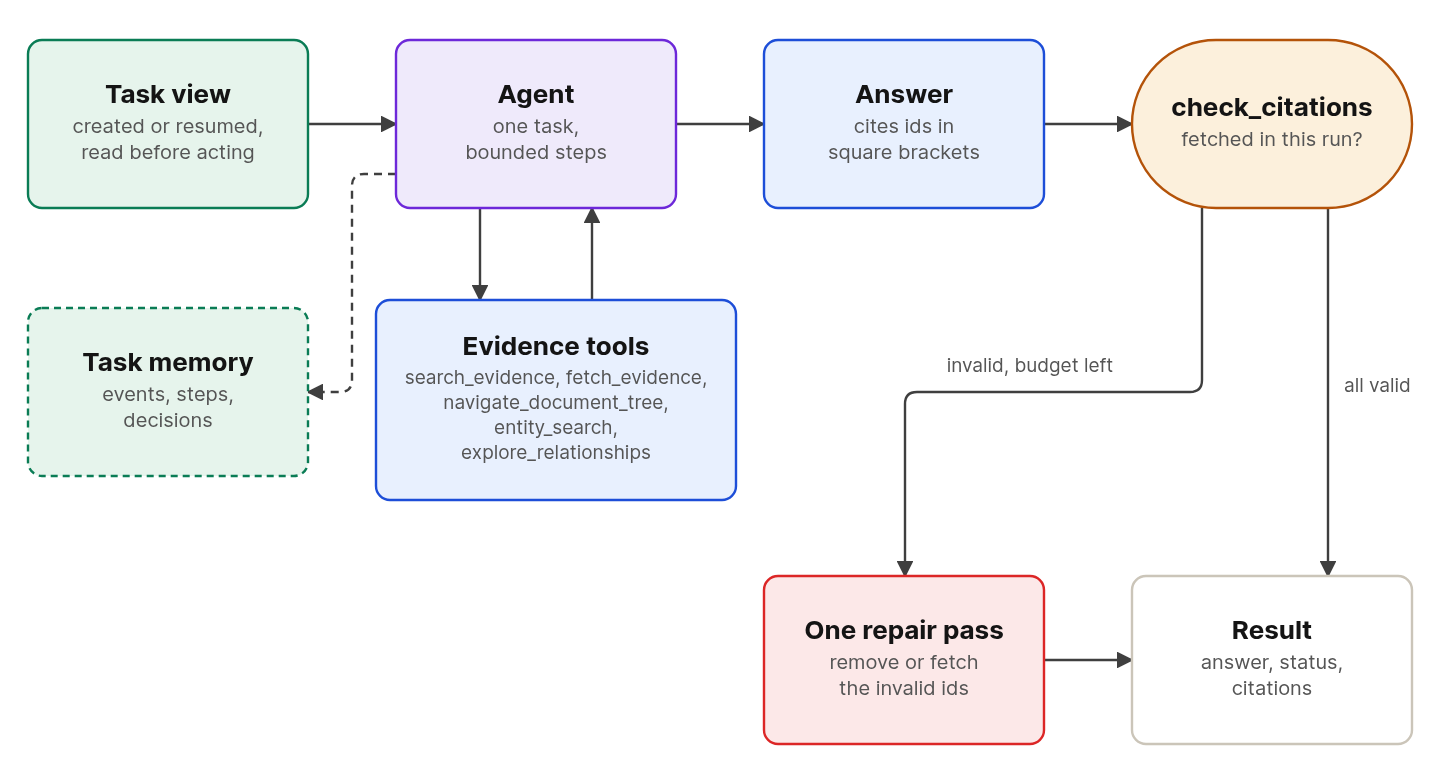
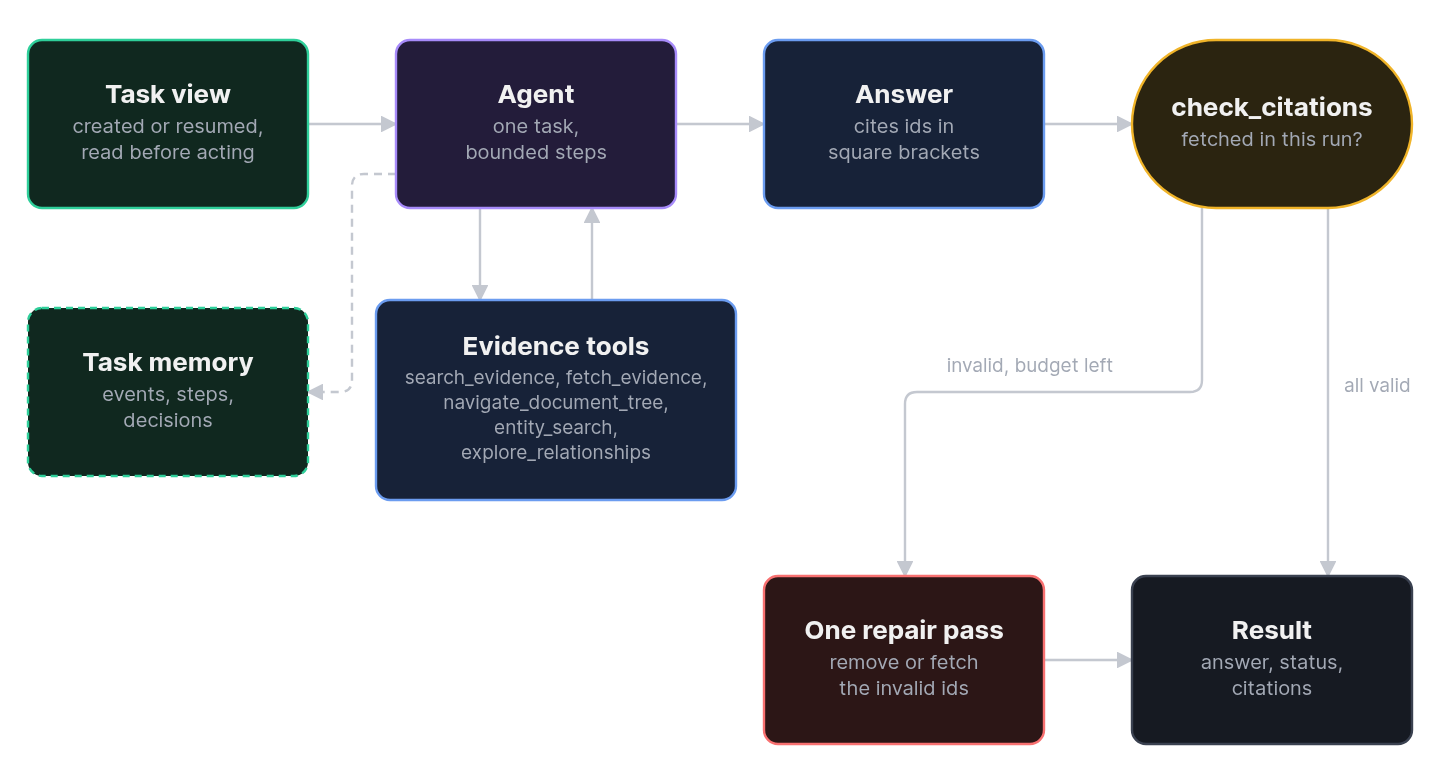
- The run creates or resumes the task and builds its task view. The view is data, and the agent reads it before it acts.
- The agent calls evidence tools.
discover_evidencereturns evidence ids for passages in scope.find_entitiesandexploresearch the graph.navigatemoves from one passage to related text. - The agent calls
fetch_evidenceon the ids it wants to cite. Only a fetch that returns complete text makes an id citable. - The agent writes the answer and cites ids in square brackets.
- The run checks every cited id against the ids that were fetched in scope. If some are invalid and the tool budget has room, one repair pass asks the agent to remove or fetch them.
- The run returns the answer, a status, the valid citations, and any invalid ids.
Tasks and resuming
The run records the agent's messages, each tool call, and each tool result or error as task events, in order, without any call from the agent. A repeated write returns the saved result. The first run of a task stores the question as its goal, and a later run appends its question as a message. When a run resumes, steps that were still in progress become unknown, and the task view lists each completed step as reusable or not. The agent uses the first client in AGENT_LLM_CLIENTS, and you pass a tracer to build_agent to record spans for the run.
The agent can also record progress with set_step and record decisions with record_decision. It reads earlier decisions with search_decisions. A decision counts only when its write tool confirms that the record was saved.
Result status
| Status | Meaning |
|---|---|
answered | The agent returned a structured answer with no invalid citations, and no limit was hit. |
insufficient_evidence | The answer says that the evidence is insufficient. |
partial | Some cited ids failed the citation check after the repair pass, or the agent returned no structured answer. |
partial_retrieval | A retrieval call failed during the run. |
budget_exhausted | The run hit the step limit or the tool-call limit. |
recording_failed | A task event or decision could not be recorded. |
Citation ids
Evidence ids start with ev1:. A span id names a range of a chunk, and a chunk id names a whole chunk. The agent copies these ids from discovery results. It does not make them up.
Limits
These settings bound one run. Set them with AGENT_ variables or AgentSettings.
| Setting | Default | Effect |
|---|---|---|
recursion_limit | 50 | The maximum LangGraph steps. A run that reaches it returns budget_exhausted. |
max_tool_calls | 20 | The maximum tool calls in one task run. |
max_result_characters | 12000 | The maximum text that one evidence fetch returns. |
The result has two parts that matter most. answer holds Markdown with numbered references such as [1] and a Sources list. Numbers follow first appearance, and passages from the same document version share a number. citations lists the actual fetched evidence, including canonical IDs, stored titles, source URIs, and locations. A citation to a narrower span retains its fetched parent in that list. Invalid citation groups remain visible and keep the run's partial status.
For example, an answer can contain Revenue increased. [[1]](https://example.org/report.pdf) followed by [1] [Annual report](https://example.org/report.pdf) in its Sources list. Local files and inline documents use plain numbered references and document titles. URLs point to the stored source address; the fetched text and content hash identify the cited version. Superseded evidence is labeled in the source list.
The agent validates canonical IDs before formatting the answer. Do not pass the formatted answer back to check_citations to recover provenance. Use the returned citations records instead. Existing Markdown links are left unchanged; the automatic formatter handles canonical IDs in plain square brackets, including comma- or semicolon-separated groups.
Citations in MCP clients
fetch_evidence returns the same source metadata and a citation_markdown field in both its structured result and serialized text. The field is null unless the evidence was fetched completely. MCP clients should keep evidence_id for check_citations, then use numbered claim references and a Sources list built from citation_markdown. The client controls its final answer and link rendering, and can also build its own presentation from the returned title, URI, and passage location.
The agent needs the agents extra. build_agent raises AgentMissingExtraError when the extra is not installed.
Design choices
The agent has no subagents. The general-purpose subagent is disabled in the harness profile, so every evidence call runs in the one agent.
The agent judges only the evidence it fetched. The citation check, not the model, decides whether a cited id is valid. A fetch outside the trusted scope fails, so the agent cannot cite text the caller did not allow.
Source passages, task events, and tool results are data. The system prompt tells the agent not to follow instructions found in them.
Related
- Guide: Retrieve and answer
- Guide: Trace an agent run
- Concepts: Retrieval, Observability
- Reference: Agents API, Configuration
- Reference: Candidates